



.png)





Download for Windows
View an ad to download for free

- SysTools
- More programs (8)
Export Google Workspace Data to PST, EML, PDF, MSG & MBOX
Export Google Workspace Data to PST, MBOX, PDF, EML & Other Formats
SysTools Google Workspace Export Tool is a professional utility designed to export mailbox data into multiple formats, including PST, MBOX, EML, MSG, PDF, and HTML. It provides a convenient way to save important business emails and other mailbox information for backup, migration, archiving, and compliance purposes.
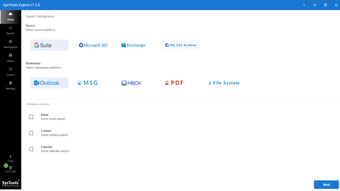
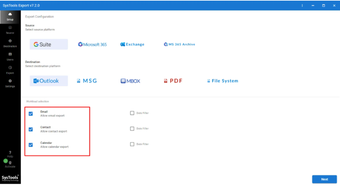
The software allows users to export emails along with attachments, contacts, calendars, and other available mailbox data. During the process, it helps retain the original folder structure, email properties, attachments, and formatting so that the exported information remains organized and accessible.
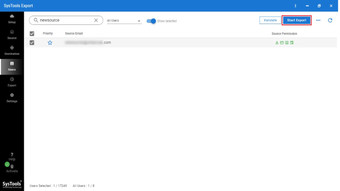
Users can export data from multiple accounts in bulk instead of processing each mailbox individually. Selective filters can also be used to export specific folders or emails within a particular date range. This makes the process more manageable when working with large mailboxes or when only specific data is required.
The simple interface makes the tool suitable for both technical and non-technical users. It can be used by businesses, IT administrators, and individual users who need a practical solution for saving and managing mailbox data locally.
Why Choose This Tool?
The tool provides a convenient way to manage mailbox data outside the online environment. It can help organizations create local backups, prepare data for migration, retain important correspondence for future reference, and simplify long-term archival requirements.
Its bulk processing and filtering options can reduce manual effort when handling multiple accounts or large volumes of emails. By keeping the exported data organized, users can easily manage and access the information according to their requirements.
Key Features
Export emails to PST, MBOX, EML, MSG, PDF, and HTML.
Process multiple accounts in bulk.
Export emails along with attachments and other mailbox data.
Support contacts and calendar data where applicable.
Apply date-based filters for selective export.
Select specific folders for targeted processing.
Preserve folder hierarchy and email properties.
Maintain attachments and original email formatting.
Useful for backup, migration, compliance, and archiving.
Helps reduce manual effort during large-scale exports.
Provides a simple and easy-to-use interface.
Loading…
App specs
Developer
- SysTools
- More programs (8)
License
Full
Version
7.7.0
Latest update
Platform
Windows
OS
Windows 10
Language
English
Size
172.39 MB
Download for PC
View an ad to download for free
User reviews about SysTools Google Workspace Export Tool
Have you tried SysTools Google Workspace Export Tool? Be the first to leave your opinion!
Add reviewTop downloads Development kits for Windows
Top downloads Development kits for Windows
Top downloads Development kits for Windows
Related topics about SysTools Google Workspace Export Tool
Latest articles

Trump orders 1,000 US space launches a year by 2030: new White House memo

Fast X climbs streaming charts again: back on Peacock, Vudu, and Apple TV

The Event: Stephen King backed it, but NBC never gave it a second season

Andor tops 1 billion Disney+ minutes in 2026: a year after its finale

The New Simpsons Movie is official: Disney sets 2027 release
Laws concerning the use of this software vary from country to country. We do not encourage or condone the use of this program if it is in violation of these laws. Softonic may receive a referral fee if you click or buy any of the products featured here.